Japan Entry Process at a GlanceThree entry methods that changed from 2025
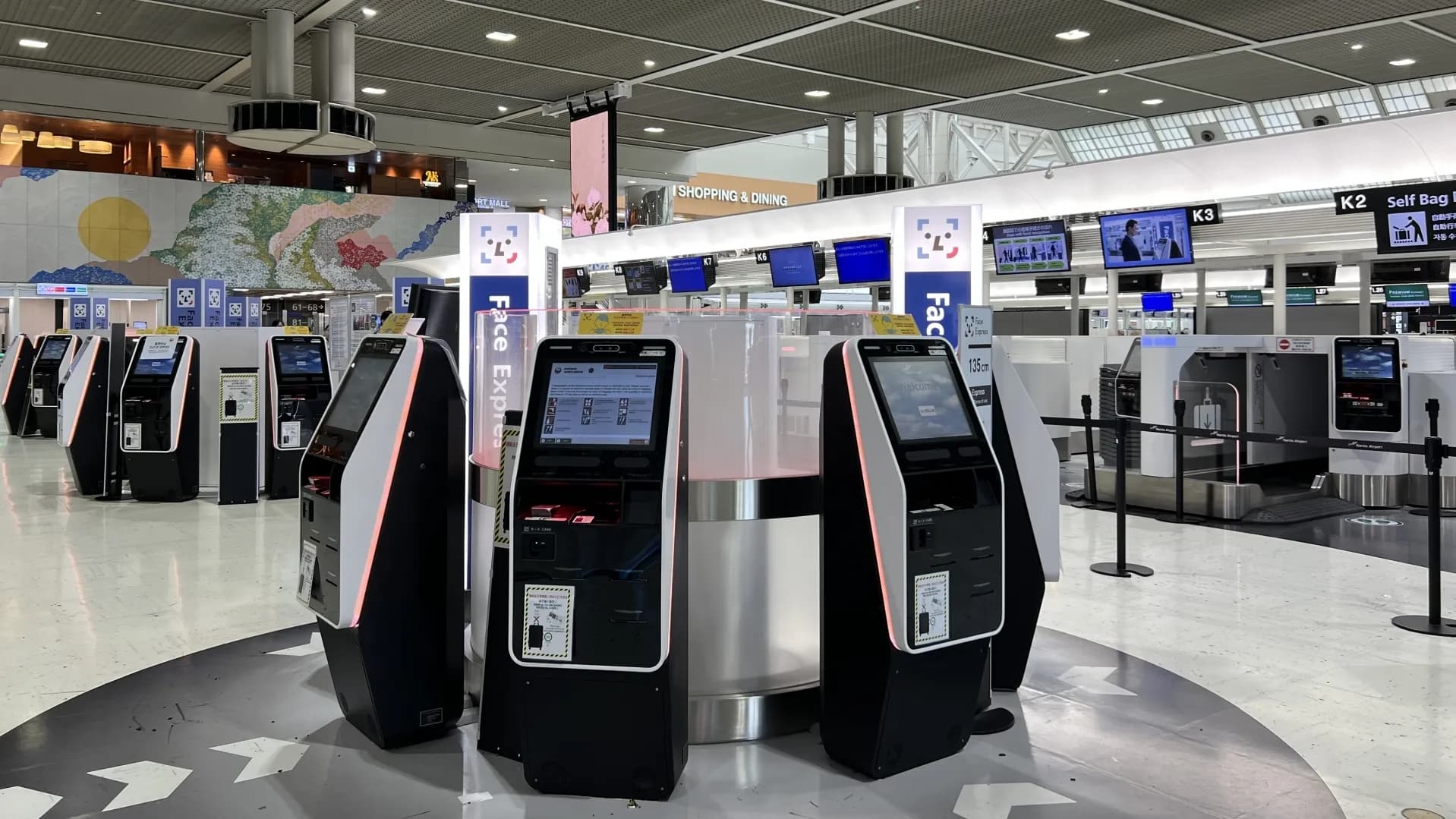
From April 2025, the Joint Kiosk system was introduced for arrivals at Narita Airport, Haneda Airport, and Kansai International Airport. As a result, Japan entry procedures are now divided into three methods:
- Paper form
- Visit Japan Web (VJW)
- Joint Kiosk
| Type | What you need | Where available | Prep time | Screening time |
|---|---|---|---|---|
| Paper form | Pen, hotel name,
| All airports,
| Short
| Can take
|
| VJW | VJW QR code | All airports | Takes time
| Fast |
| Joint Kiosk | VJW QR code | Narita · Haneda · Kansai
| Takes time
| Fastest |
The reason Visit Japan Web (VJW) was introduced is that, with the old process, officers had to manually enter handwritten information into a computer, which was inefficient.
To reduce this effort, VJW allows travelers to pass immigration with a pre-registered QR code. Currently, at immigration you must register a face photo and fingerprints, then show your passport and QR code, and for customs you must show the QR code again.
The Joint Kiosk system integrates these steps into one process. Before going to the immigration counters, you complete face photo, fingerprint registration, and QR code scanning at the kiosk. Then, at immigration you only show your passport and enter immediately.
1) Entry process comparison
For the arrival flow after landing, see the table below.
| Type | After arrival | Immigration | Customs |
|---|---|---|---|
| Paper form | - | Passport + entry card | Customs declaration |
| VJW | - | Passport + QR code
| Passport + QR code |
| Joint Kiosk | Passport + QR code
| Passport | - |
- However, even if you enter using the Joint Kiosk, if you have dutiable items, you must complete customs declaration before leaving the customs area.
If you will enter via Narita Airport, Haneda Airport, or Kansai International Airport, it is best to register Visit Japan Web (VJW) in advance and prepare your QR code. This can make immigration much faster.
If you enter through other airports, follow that airport’s procedures and prepare based on your situation.
2) Joint Kiosk video guide
Paper Form ✍️A traditional method you can fill out on the plane
This is the traditional method: you fill out the paper forms either on the plane or after arriving at the airport in Japan.
- If you want to fill it out on the plane, it is best to bring a pen in advance.
- For the form, it is usually enough to confirm: passport details, hotel name in English, hotel phone number, and flight number. (Postal code and full address are not required.)
- Use the example images below to fill it out more easily.
1) Entry Card
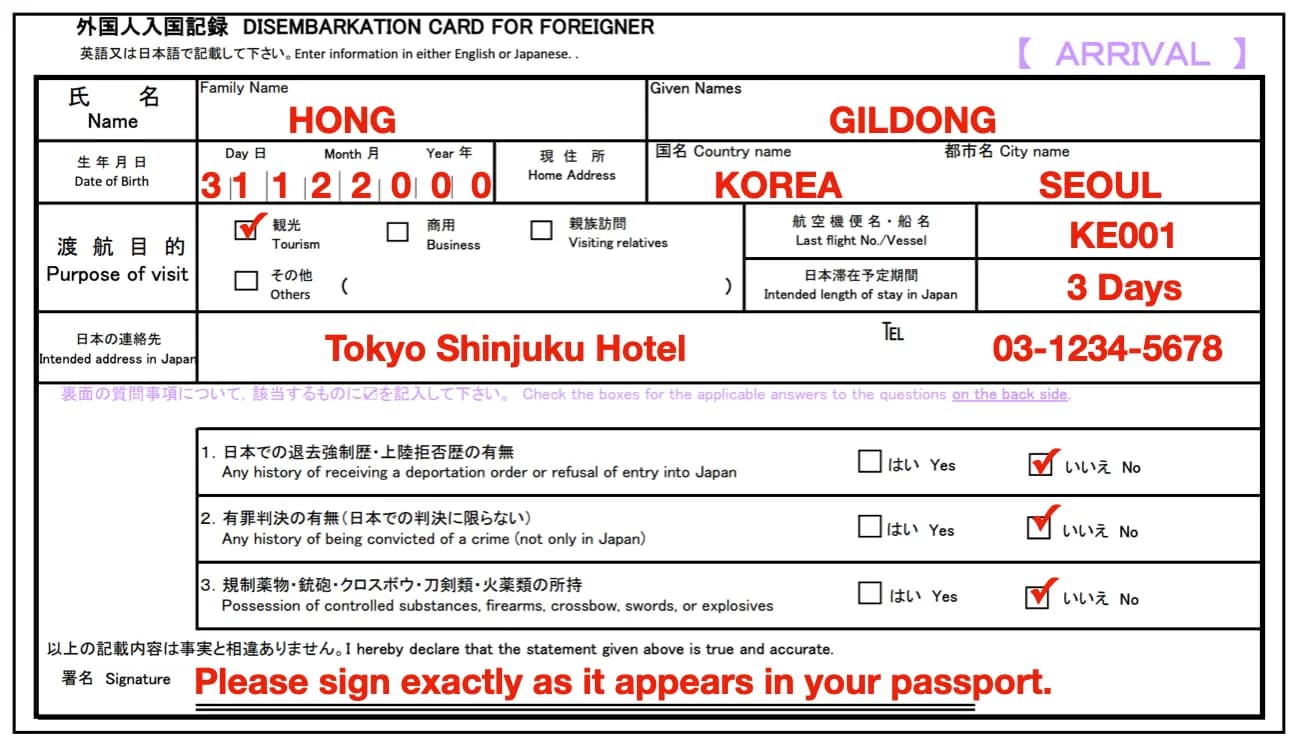
- Write your surname and given name exactly as in your passport, and write your date of birth in day/month/year order.
- Regardless of age, one form per person is required.
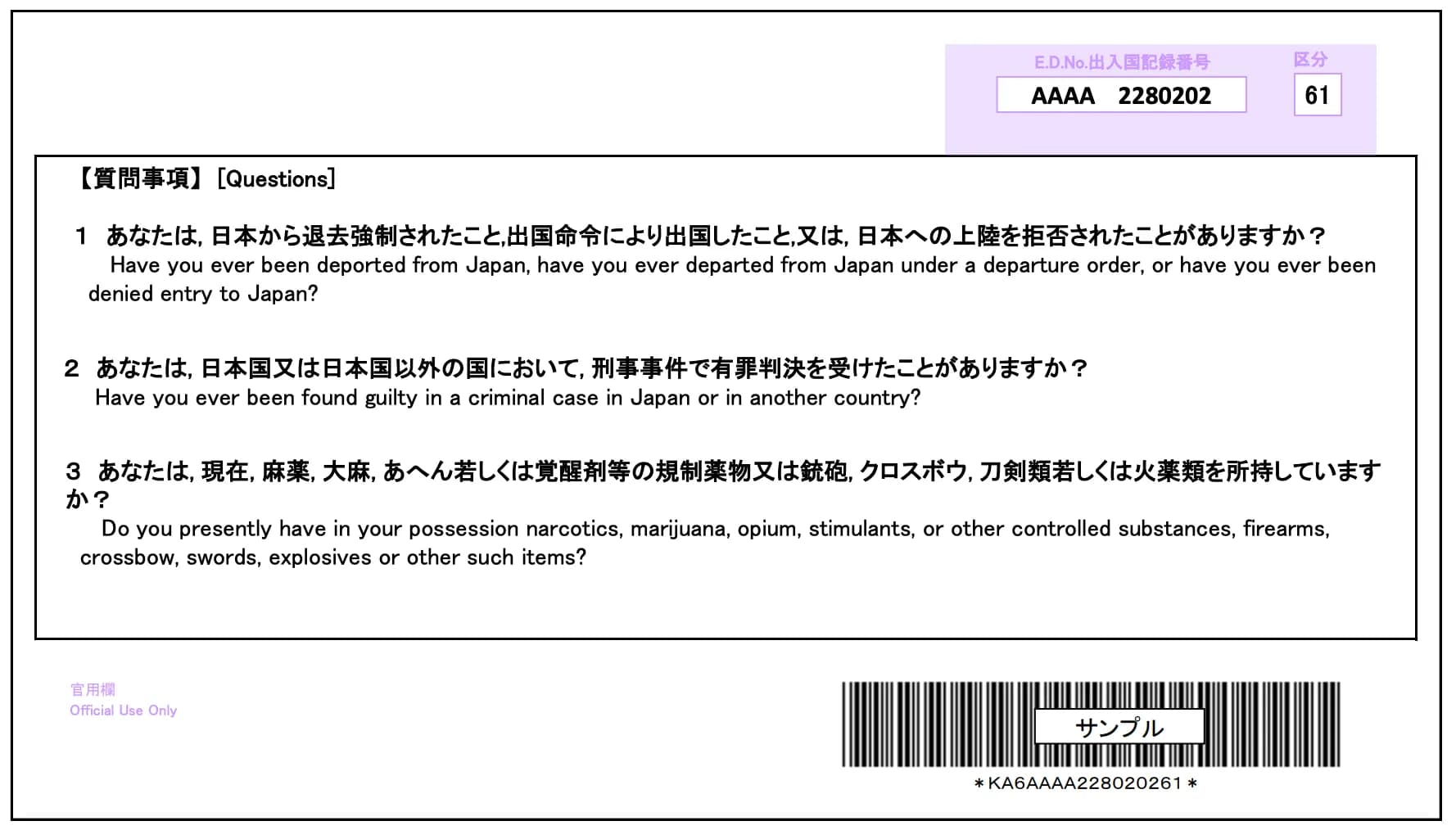
- There is nothing to fill out on the back.
2) Customs Declaration (Accompanied / Unaccompanied Articles Declaration)
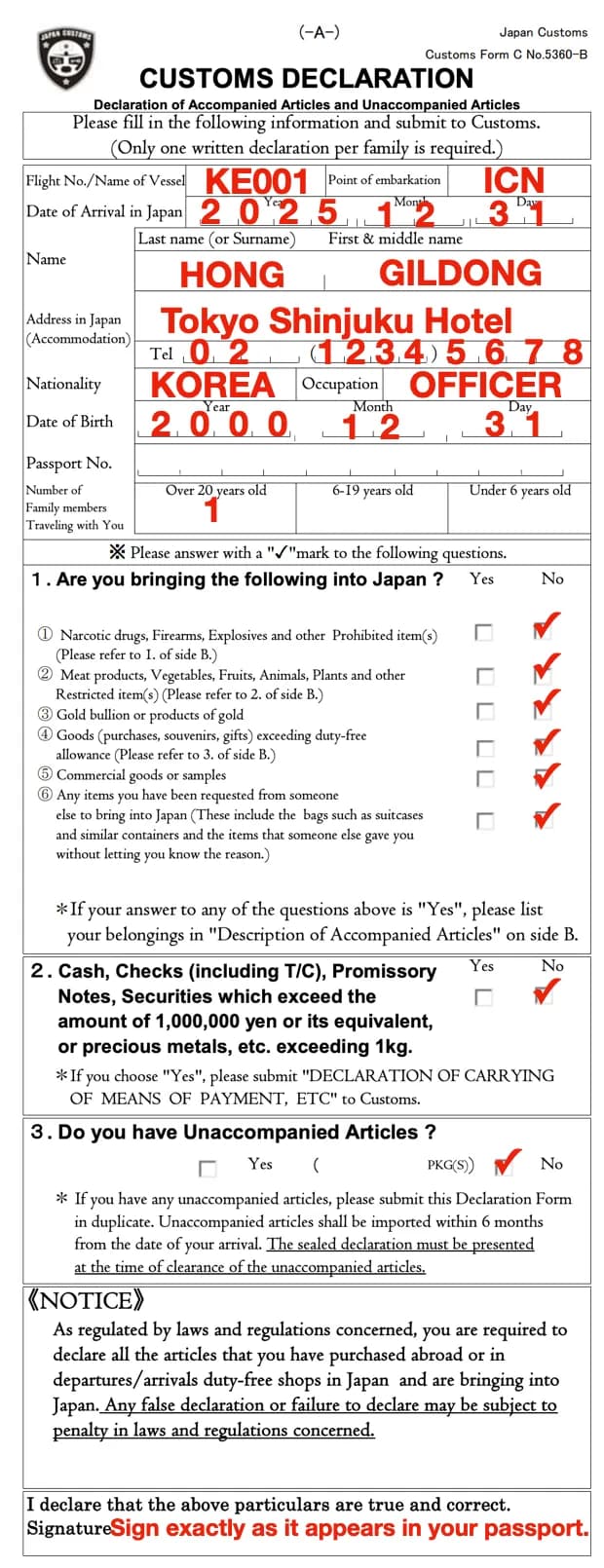
- It is similar to the entry card, and the key difference is that you must write your departure airport name.
- Example: you can write the IATA code like ICN (Incheon), or write the full name like “Incheon”.
- If you enter with family, you only need to submit one customs declaration form. However, you must write the correct number of family members traveling together.
- Write your occupation in English: e.g., office worker / housewife / student
- If you carry gold items (gold ring, gold necklace, etc.), you must mark “Yes” for “gold bullion or gold products”.
- If you have items that exceed the duty-free allowance, mark “Yes” for “purchases, gifts, donations, etc. exceeding the duty-free allowance”, fill out the back, and pay duties at customs.
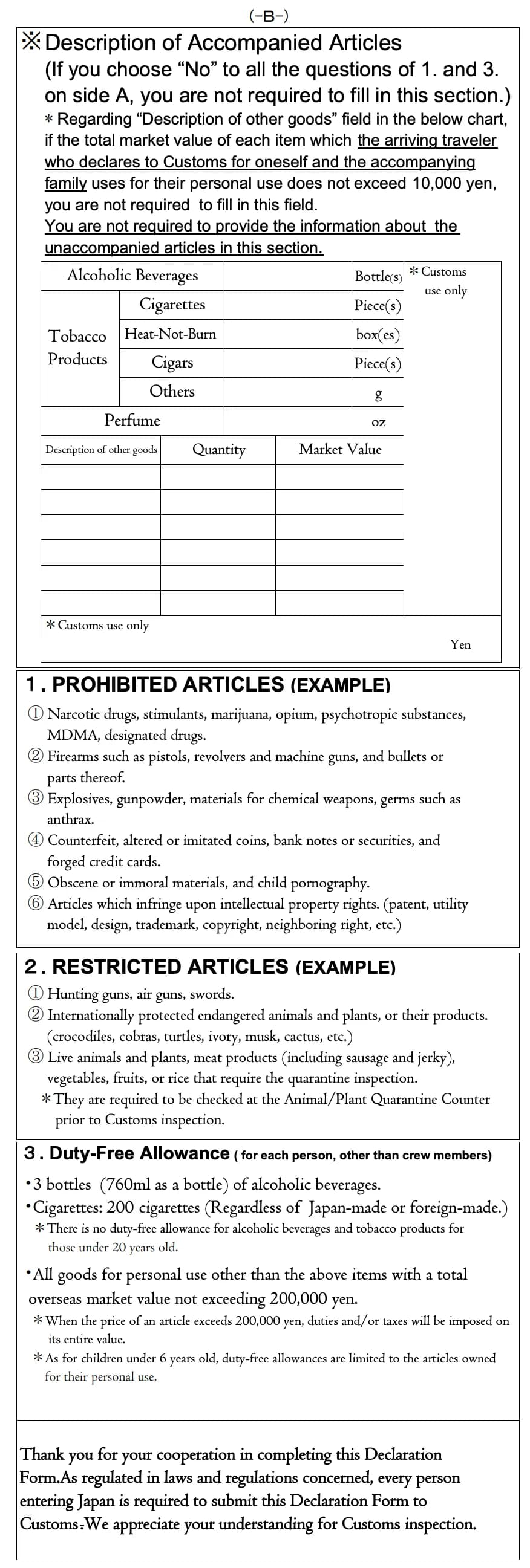
- Japan’s duty-free limits are explained in detail in the “Consumption Tax / Tax-Free / Duty and Customs Declaration” section.
Exclusive TourCast Tips!
Important notes when bringing gold items
- If you carry gold items, regardless of purity, weight, or whether you are wearing them, you must check the “gold bullion or gold products” item.
- If you do not check it, your items may be confiscated.
- If you bring gold with 90%+ purity and over 1kg, you must also submit Declaration of Means of Payment, etc. (Carried Export/Import Declaration).
- Typical personal items such as a gold ring or necklace can be brought in without issues if you declare them. However, it is better to avoid excessive gold jewelry, as it may cause disputes.
Exclusive TourCast Tips!
Is Visit Japan Web always more convenient?
In addition to filling out paper entry/customs forms as explained above, you can also pre-register online via Visit Japan Web (VJW).
However, in practice, the process from creating an account to entering passport details can be quite time-consuming. In particular, for family trips, you must enter each family member’s information and customs declaration separately, which can be inconvenient.
Also, if a child does not have a phone, you may need to share the QR code from the parent’s phone during immigration.
It can be worth trying online registration as part of the travel experience, but if you prepare only the hotel name/phone number and flight number, it is often much simpler and more practical to fill out the paper forms on the plane.
One more point: for immigration, both paper and VJW usually use the same line, but for customs, they often use different lines. Recently, many travelers use online registration, so the paper-form line can sometimes be shorter and faster.
Considering these points, choose the method that best fits your travel style.
Conclusion: if entering passport details feels annoying, paper forms are also a great option.
Visit Japan Web (VJW)Faster screening with a pre-registered QR code
This system allows you to register your entry card and customs declaration online in advance, and then declare easily with a QR code when entering Japan.
The 'Visit Japan Web Info' app on the Play Store is not an official app, so do not use it.
You must use the
official site
. When searching on portals, similar sites may appear, so always check the URL.
Registration steps
-
Create an account
- You can create an account easily with email verification
-
Register your personal information
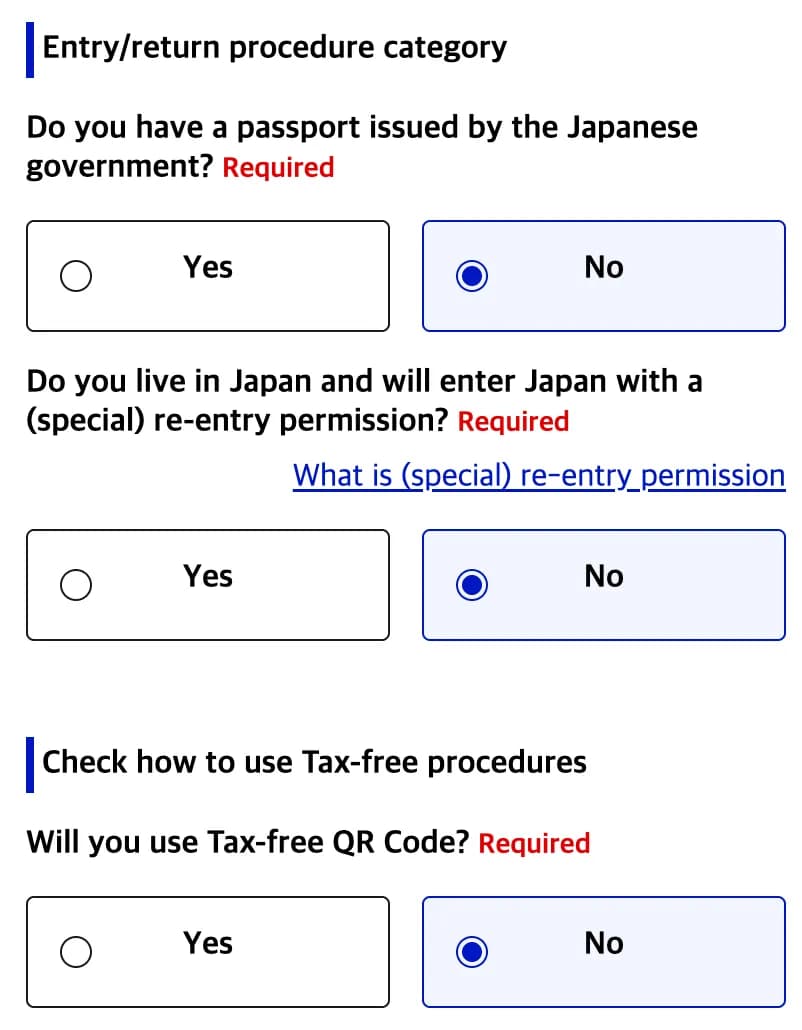
- The tax-free QR code only applies at participating stores, so for most travelers it is easier to select “No”.
- If you select “Yes”, passport scanning is required. If you select “No”, you can complete it by entering passport details only.
-
Register accompanying family members
- Same method as personal registration
- Up to 10 people can be registered
-
Register your planned entry and return information
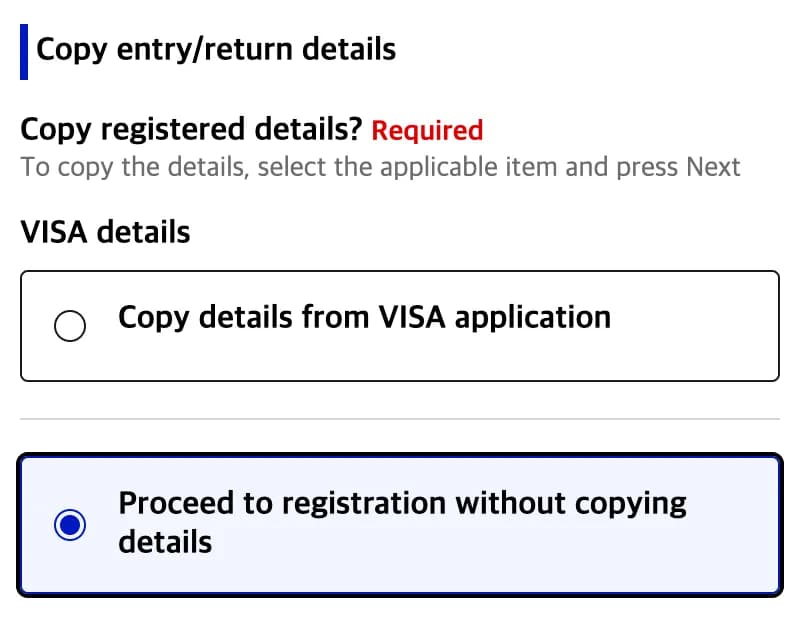
- Airline codes must be entered in uppercase (e.g., “KE”) to sort correctly
- If it does not appear in search, select “ZZ: OTHER AIRLINE” and enter the flight number manually
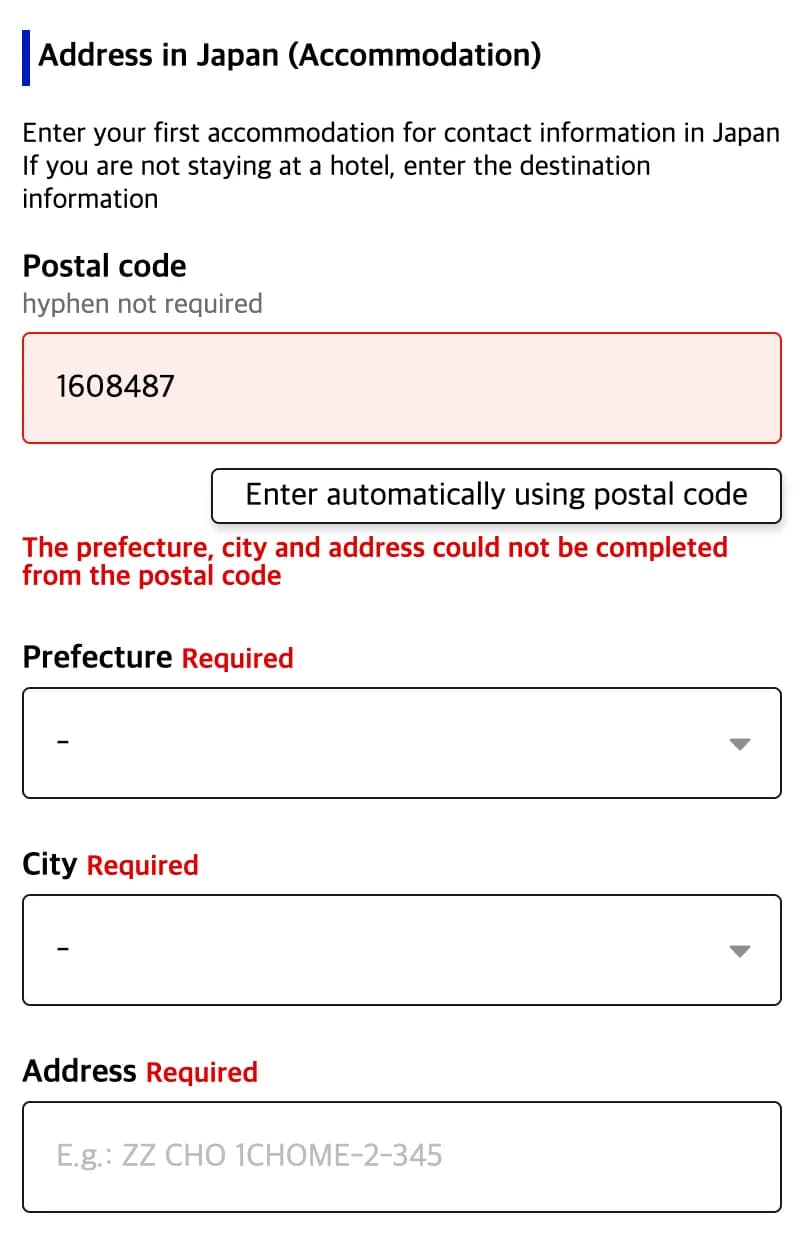
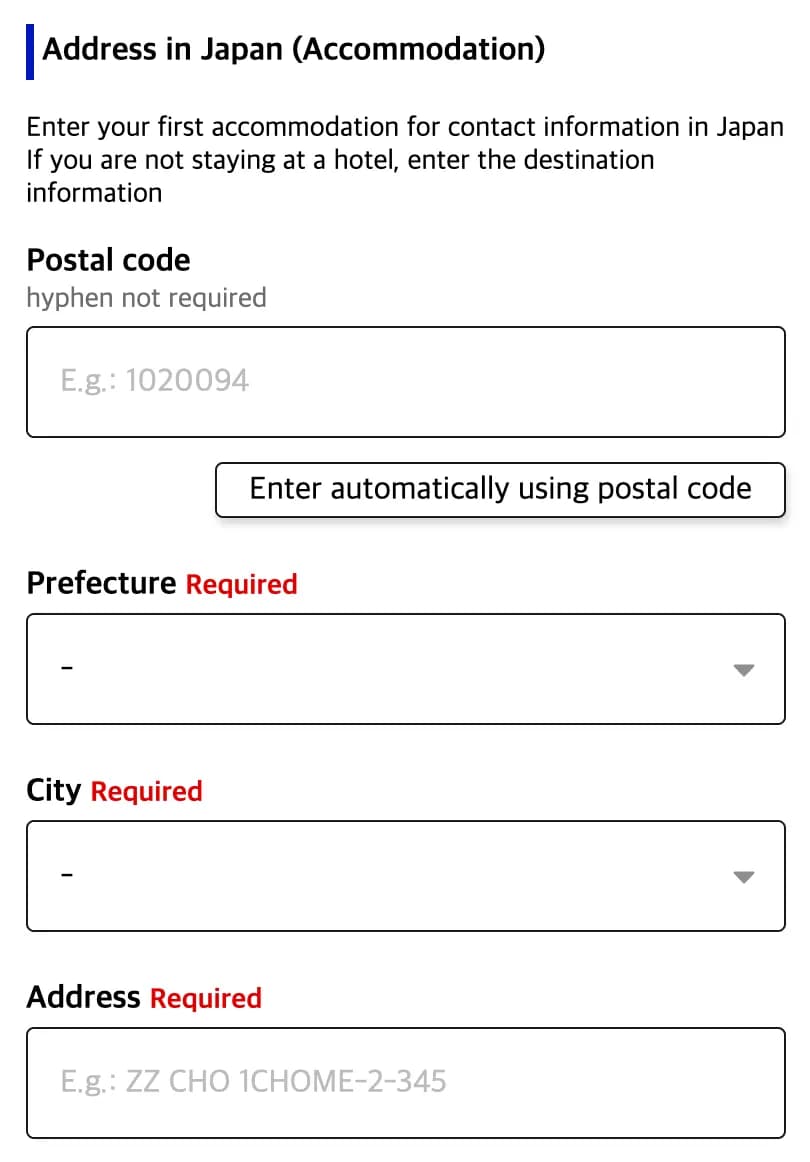
- For the hotel address, you can enter the postal code and use the “Auto fill” button
- If it does not appear, use a nearby building’s postal code (e.g., a station), then manually enter the address and hotel name
- For the phone number, enter the hotel number or your mobile number in the format (e.g., “country code + remaining number”)
- Register immigration and customs declaration → Issue QR code
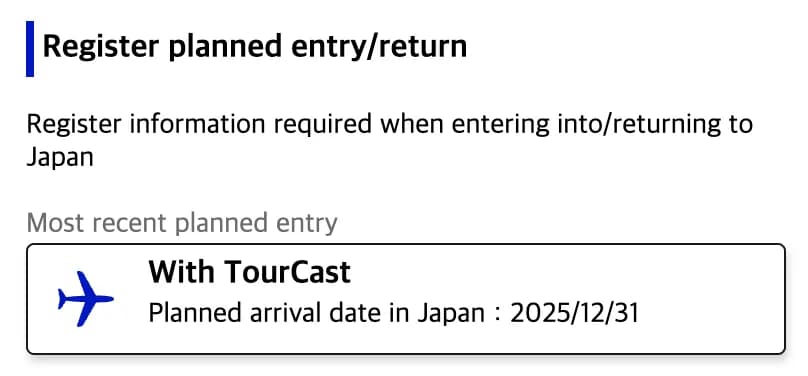
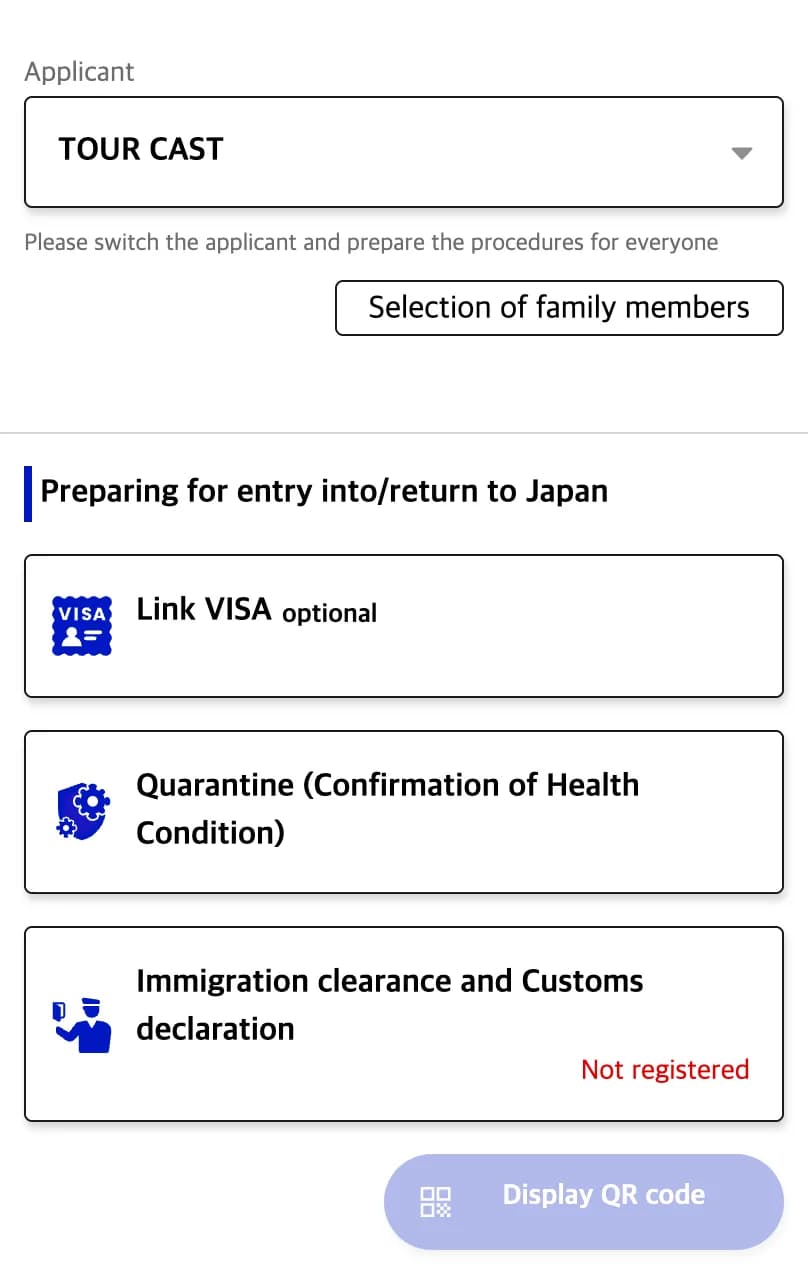
- Select the travel entry, choose the traveler, and click the “Immigration and Customs Declaration” button
- After completing the information, the “Show QR code” button becomes active. Take a screenshot and save it
- Each accompanying family member must be entered separately, and each QR code should be saved in advance and shared