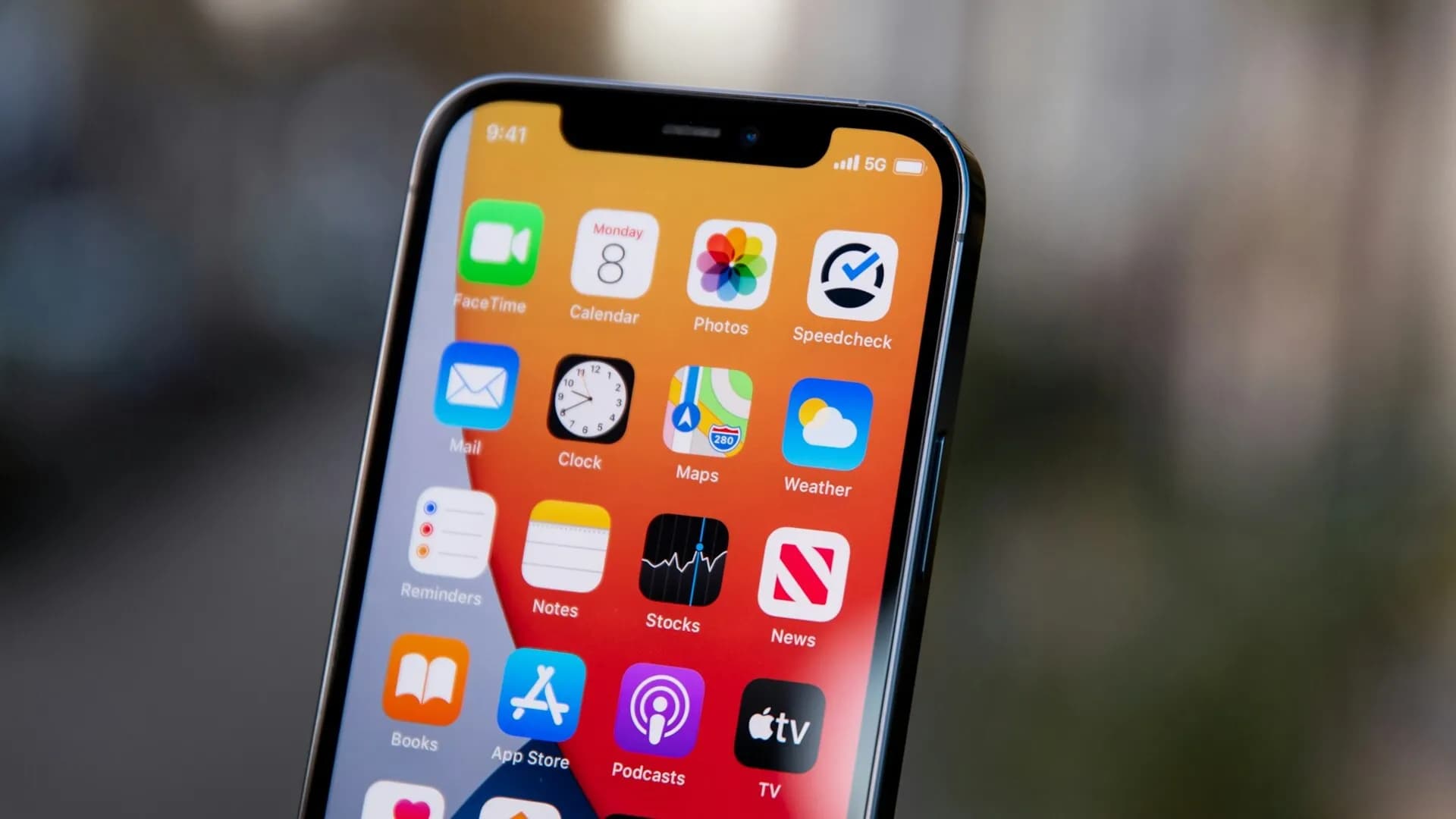
Preparing for Japan: Essential App List for Local UseA must-install list to handle everything from navigation to translation with just your smartphone.
The quality of your trip to Japan depends on which apps you prepare in advance. Along with data roaming, we have compiled a list of 'local survival' essential apps.
Detailed recommendations for specific regions can be found in each regional guide, so start by installing these nationwide essentials first.
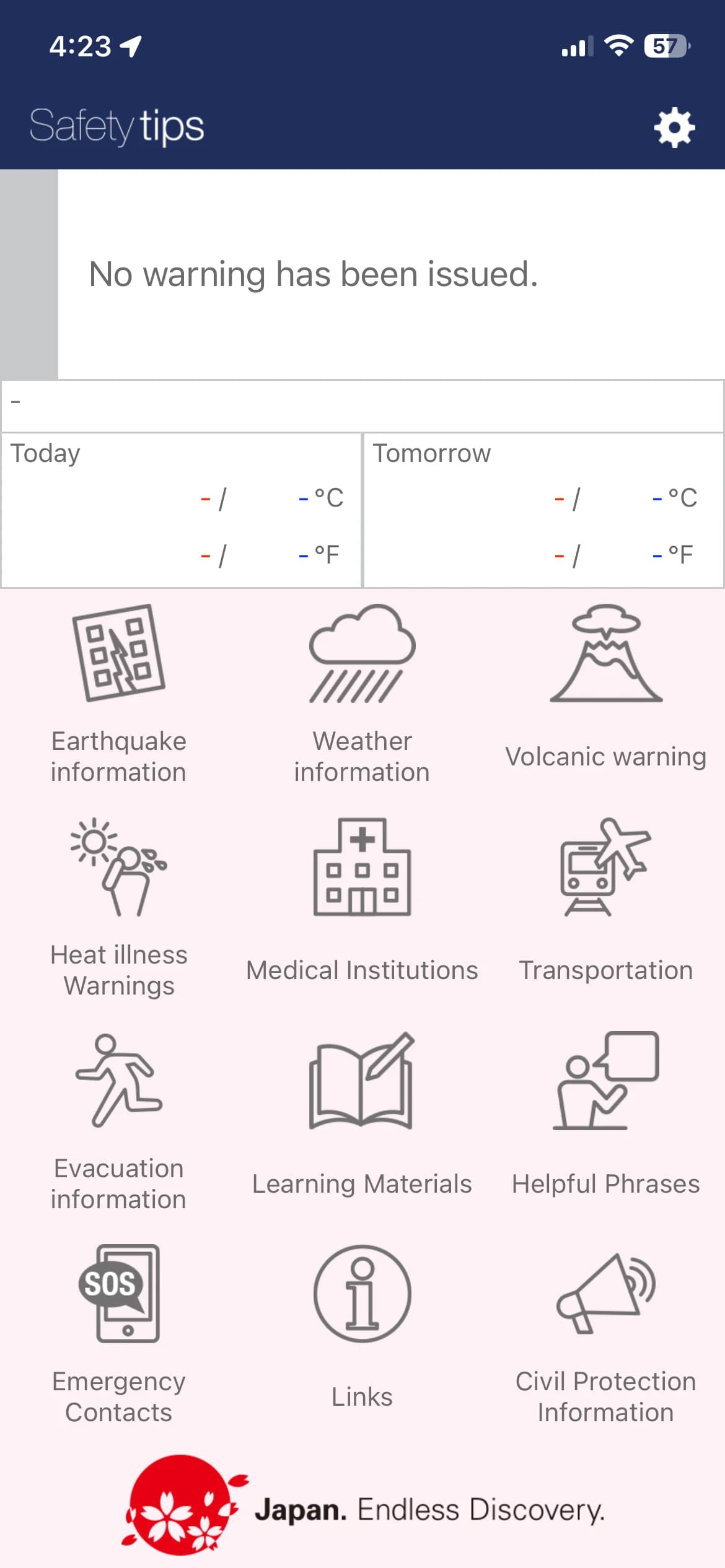
Safety tips AppDisaster alerts and evacuation guidance service provided by the Japan Tourism Agency.
Since Japan is a country prone to natural disasters such as earthquakes and typhoons, it is highly recommended to install the 'Safety tips' app, supervised by the Japan National Tourism Organization (JNTO) for foreign travelers.
1. Key Features
- Real-time Push Notifications: Instantly provides Emergency Earthquake Swifts, Tsunami Warnings, Volcanic Eruption Warnings, and Weather Warnings for your set locations in multiple languages.
- Shelter Search: Displays the nearest evacuation centers (shelters) on a map and provides navigation from your current location.
- Action Manuals: Provides multi-language step-by-step instructions (e.g., how to hide during an earthquake) accompanied by illustrations.
- Communication Cards: Includes a 'Request for Help Card' feature to show locals or rescue workers in emergency situations where language barriers exist.
2. Setup Tips
- After installation, set the language to your [Native Language]. (Supports 15 languages including English, Chinese, and Korean.)
- Enable [Use Current Location Information] to automatically receive alerts based on the area you are visiting.
- You can register up to 5 major destinations in advance, so be sure to add cities where your accommodation is located (e.g., Tokyo, Osaka, etc.).
3. Useful Emergency Services during Disasters
- Disaster Emergency Message Dial (171): A service to leave or check voice messages when phone connections are difficult during large-scale disasters.
- Free Wi-Fi (00000JAPAN): A public emergency Wi-Fi network opened to everyone regardless of their carrier during major disasters. (Network Name:
00000JAPAN)
⚠️ Precautions Japan's emergency alerts can emit a very loud alarm sound. If an earthquake alert sounds, do not panic and run outside. The safest action is to immediately protect your head with a bag or nearby objects and hide under a sturdy table.
Google Maps for Japan TravelAn essential tool for accurate navigation, saving locations, and searching for restaurants.
Google Maps is the beginning and end of any trip to Japan. It provides the most accurate data for everything from Japan's complex subway lines to hidden alleyway restaurants.
1. Why Google Maps is Essential
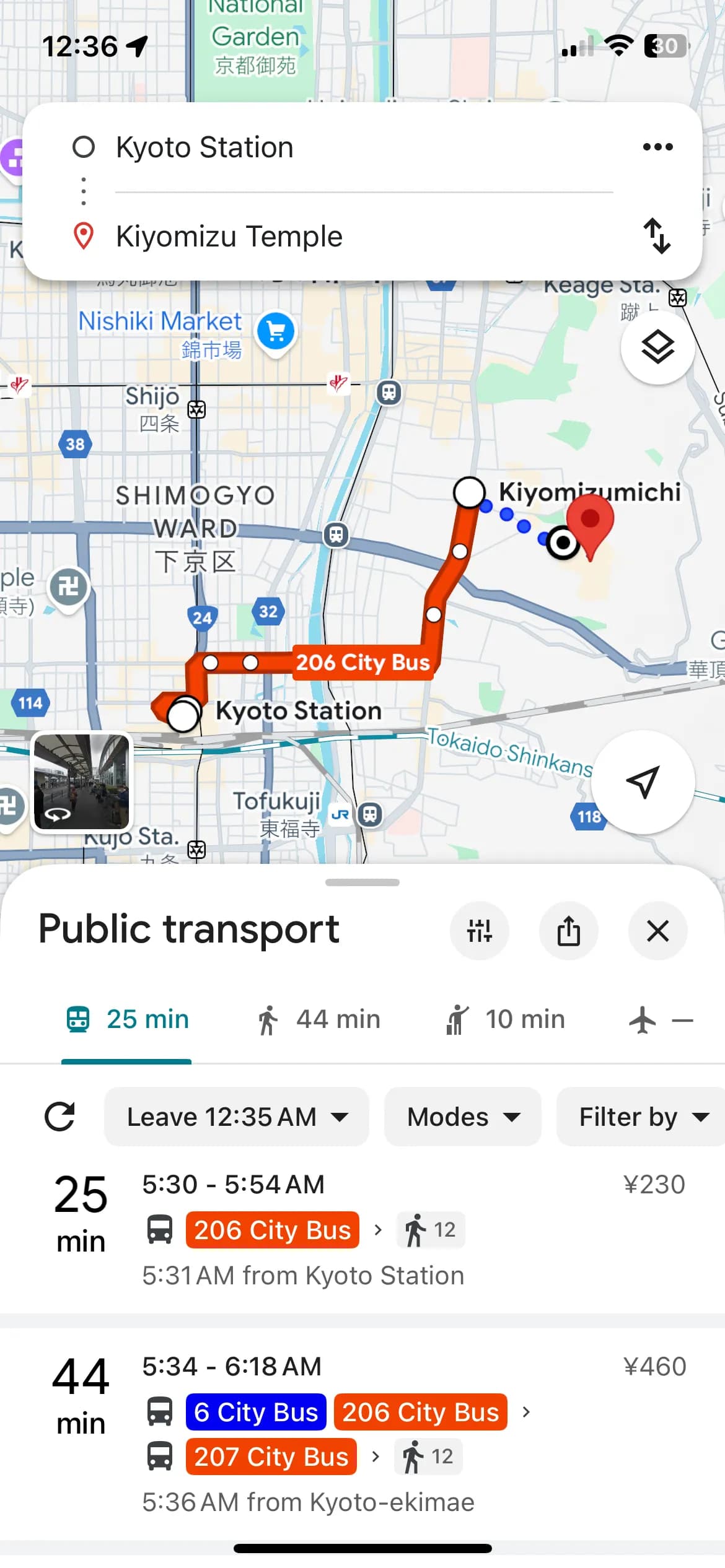
- Detailed Public Transport Guidance: It doesn't just show the route; it provides real-time delay information, platform numbers, and exact fares.
- Powerful Location Saving: Save restaurants or attractions you want to visit as 'Starred (★)' places to easily manage your itinerary locally.
- Live Local Reviews: Choose the best restaurants without fail through the latest reviews and photos left by travelers and Japanese locals worldwide.
2. 200% Utilization with TourCast
- One-click Integration: Press the [Location] button next to attraction descriptions in the TourCast app to immediately link to Google Maps and start navigation.
- Offline Maps: If you are worried about data usage, download maps of the cities you will visit in advance. You can check your location even without an internet connection.
💡 Navigation Tip! If the direction in Google Maps seems off, try calibrating your compass by moving your phone in a 'figure-8' motion. Also, turning on the 'Live View (AR)' feature in walking mode places arrows over the real-world street view, making it much easier to find your way.
3. Practice Before Departure
If you are not familiar with Google Maps, we strongly recommend practicing by searching for nearby routes at home before you leave. This will save you from struggling with maps in Japan and allow more time to enjoy the scenery.
Japan Travel AppSearch for perfect routes and check if your transport pass is applicable.
While Google Maps is great for general navigation, the Japan Travel (by Navitime) app specializes in 'micro-navigation' tailored to a traveler's specific situation. This is a must-have app if you want to smartly utilize Japan's complex rail systems and various transport passes.
1. 5-Level Customized Search
Beyond simple navigation, you can filter results based on your condition and priorities.
- Search Criteria: Choose between Fastest Time / Fewest Transfers / Least Walking / Lowest Fare.
- Walking Speed Adjustment: Adjust from 'Very Slow' to 'Very Fast' in 5 levels to predict actual arrival times based on your own pace.
- Accessible Routes: Provides routes that minimize stairs, utilize underground passages to avoid rain or snow, or are wheelchair accessible.
2. Essential for Transport Pass Holders
The biggest strength of this app is the ability to register the passes you own.
- Pass Integration: Register passes like the JR Pass, Osaka Amazing Pass, or Tokyo Metro Pass.
- Automatic Identification: When searching for routes, it intuitively shows whether a section is covered for free by your pass or if an additional fee is required.
3. Diverse Transport Options
Covers all modes of transportation within Japan, not just subways.
- Transport Settings: Customize your route by selecting preferred methods like Shinkansen, Express Trains, City/Highway Buses, Taxis, or Ferries.
- Cost Calculation: When using a rental car, you can pre-calculate highway tolls, which is a great help for budget planning.
4. Cons
- Multilingual search beyond English is limited, making it sometimes difficult to find specific place names. It is best to search using the English name or Romaji (e.g., 'kiyomizudera').
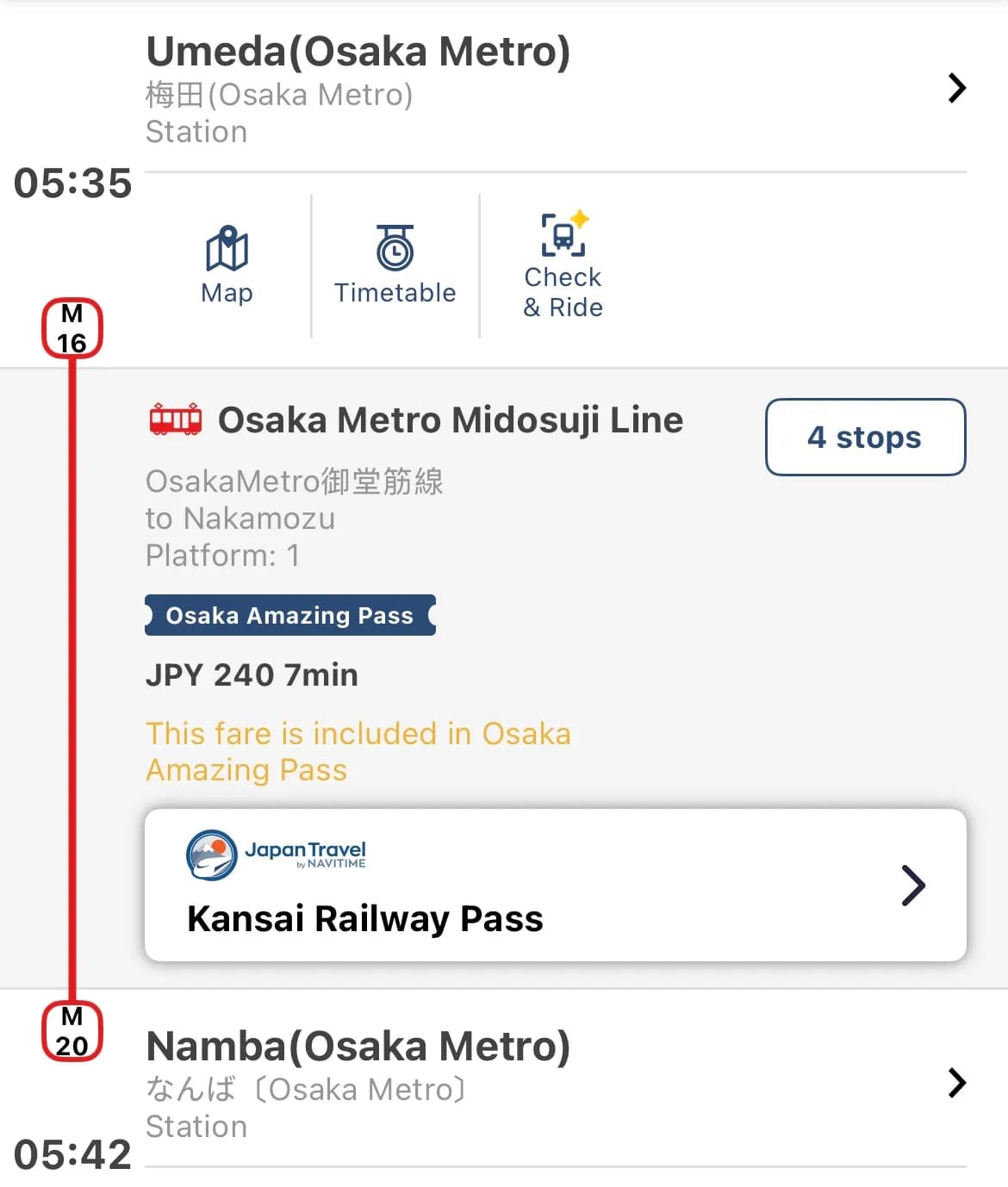
With this app, you can check highway tolls when using a rental car.
This is useful for deciding whether an Expressway Pass is necessary for your rental car plan. Detailed instructions can be found in the 'Essentials Part 2 - Rental Car Preparation' section.
Translation AppsEnjoy your trip to Japan without language barriers using real-time voice and image translation.
While English signage is increasing in Japan, handwritten menus at local restaurants or detailed instructions are still often only in Japanese. In these moments, translation apps act as your reliable personal interpreter.
1. iPhone (iOS) Native Translate App
iPhone users can enjoy powerful translation features without installing separate apps. Performance is even more advanced in iOS 26.
- Integrated Translation: Text, voice, and camera translations are combined into one intuitive interface.
- Offline Mode: Download language packs in advance for basic translation even in mountainous areas or underground where data is unavailable.
- Real-time Conversation Interpretation: By wearing AirPods Pro (2nd, 3rd Gen) or AirPods 4 (ANC model), you can use the Simultaneous Interpretation feature to hear the other person's speech translated directly into your ears.
2. Android & Google Translate (Gemini AI)
For Android users, the Google Translate app is a must. Especially as of 2026, Google's Gemini AI is fully integrated, drastically improving context awareness.
- Gemini AI Engine: Goes beyond simple word replacement to translate Japan's unique honorifics or nuanced expressions into natural-sounding native language.
- Camera (Lens) Translation: Simply point your camera at a menu, and the text is converted to your native language in real-time. (Online connection recommended for real-time features.)
- Conversation Mode: By speaking into the phone in your respective languages, the app provides real-time interpretation, making communication with locals enjoyable.
3. Translation App Tips for Every Situation
- At Restaurants: Use the 'Lens' feature in Google Maps or the Camera Mode in translation apps to scan menus.
- Asking for Directions: Turn on Voice Conversation Mode, start with "Sumimasen" (Excuse me), and then ask your question in your native language.
- While Shopping: If you are curious about tax-free regulations or product ingredients, photograph the detailed labels for an accurate translation.
💡 TourCast Tip: Even with AI, translation isn't perfect. If the result seems awkward, try speaking in shorter, clearer sentences. Clarifying the subject and object, like "I want to buy this," will help the AI translate much more accurately.